Widget Guide
Back to Documentation Home
Widget Documentation
Manage classic WordPress sidebar widgets.
Add Widget in Sidebar
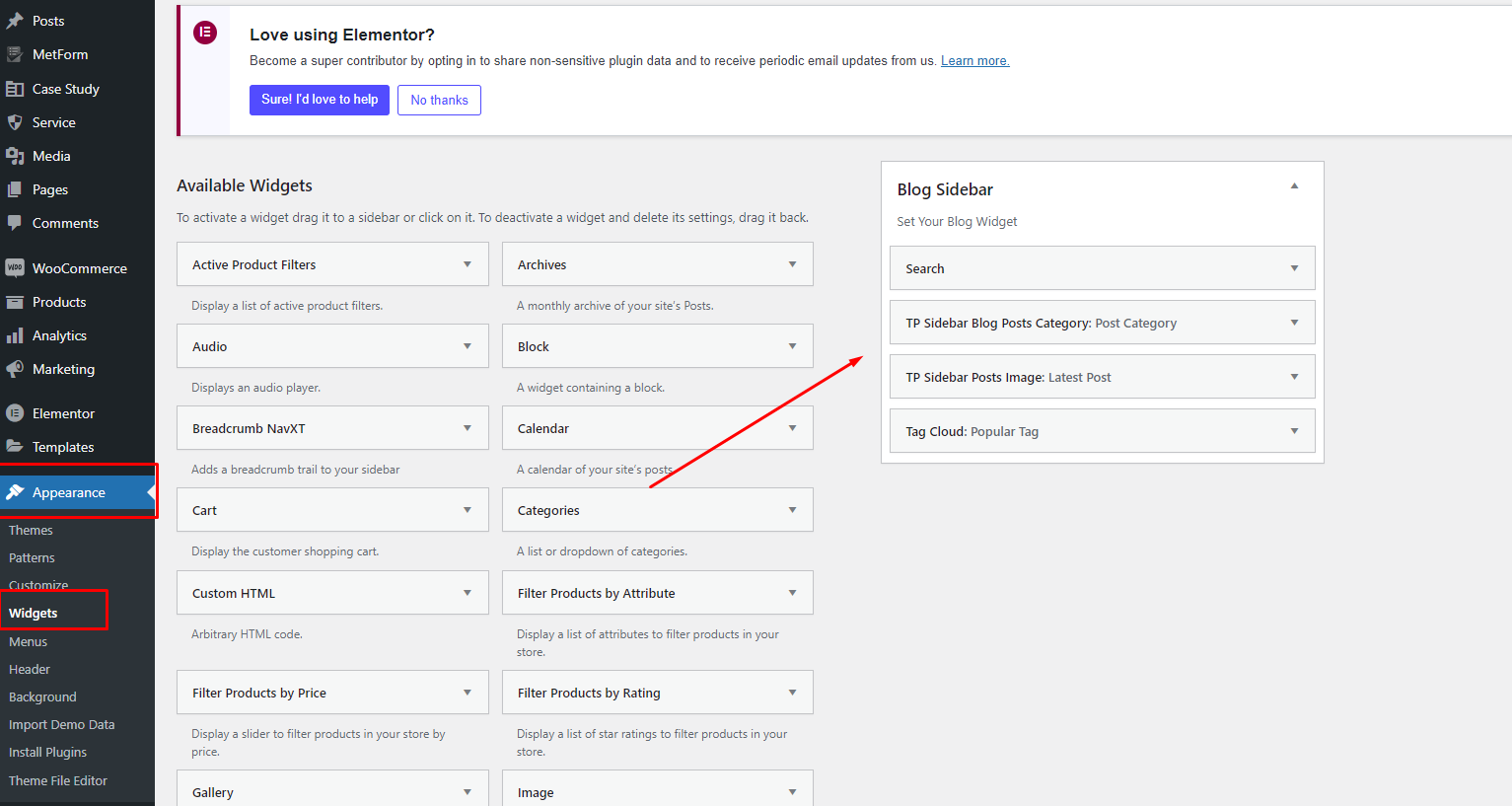
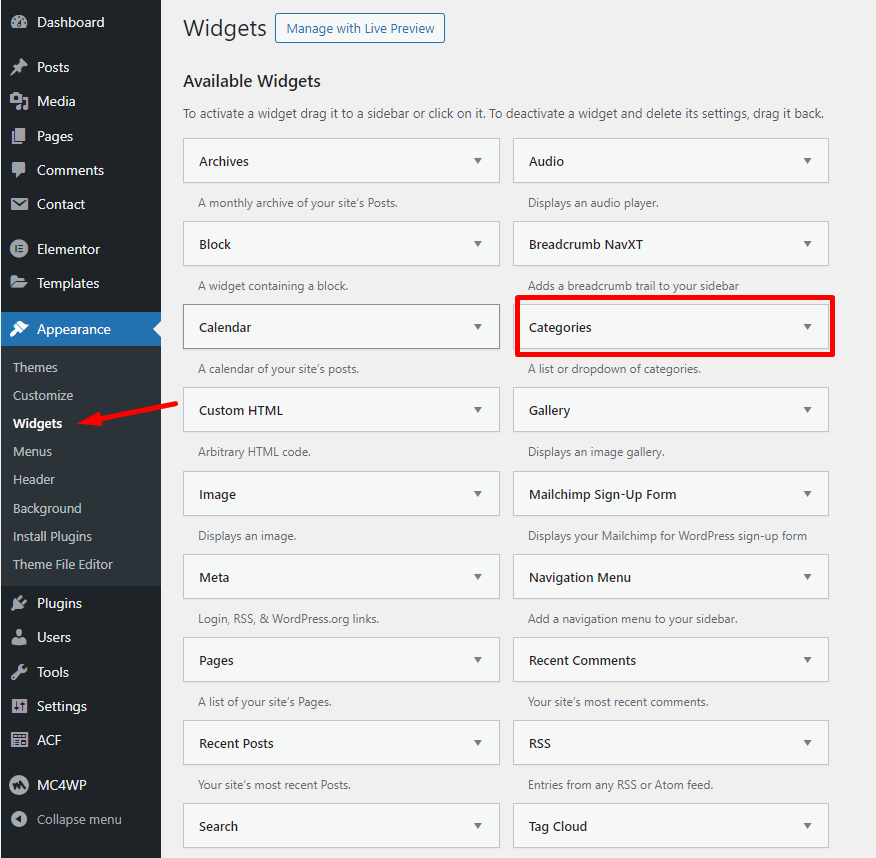
Go to
Appearance > Widgets
.
Drag and drop widget into target sidebar.
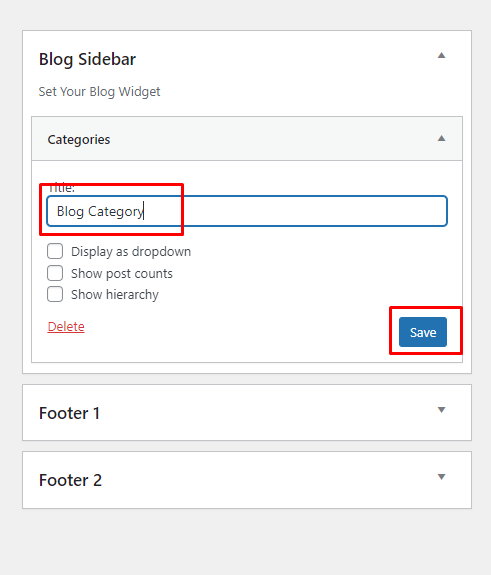
Save the widget settings.
Edit Existing Widget
Open
Appearance > Widgets
.
Find widget in sidebar area.
Update title/content and save.
 Widget Guide