Carbid Page Guide
Back to Documentation Home

Page Documentation

Create, edit, and build pages with Elementor.

Create a New Page

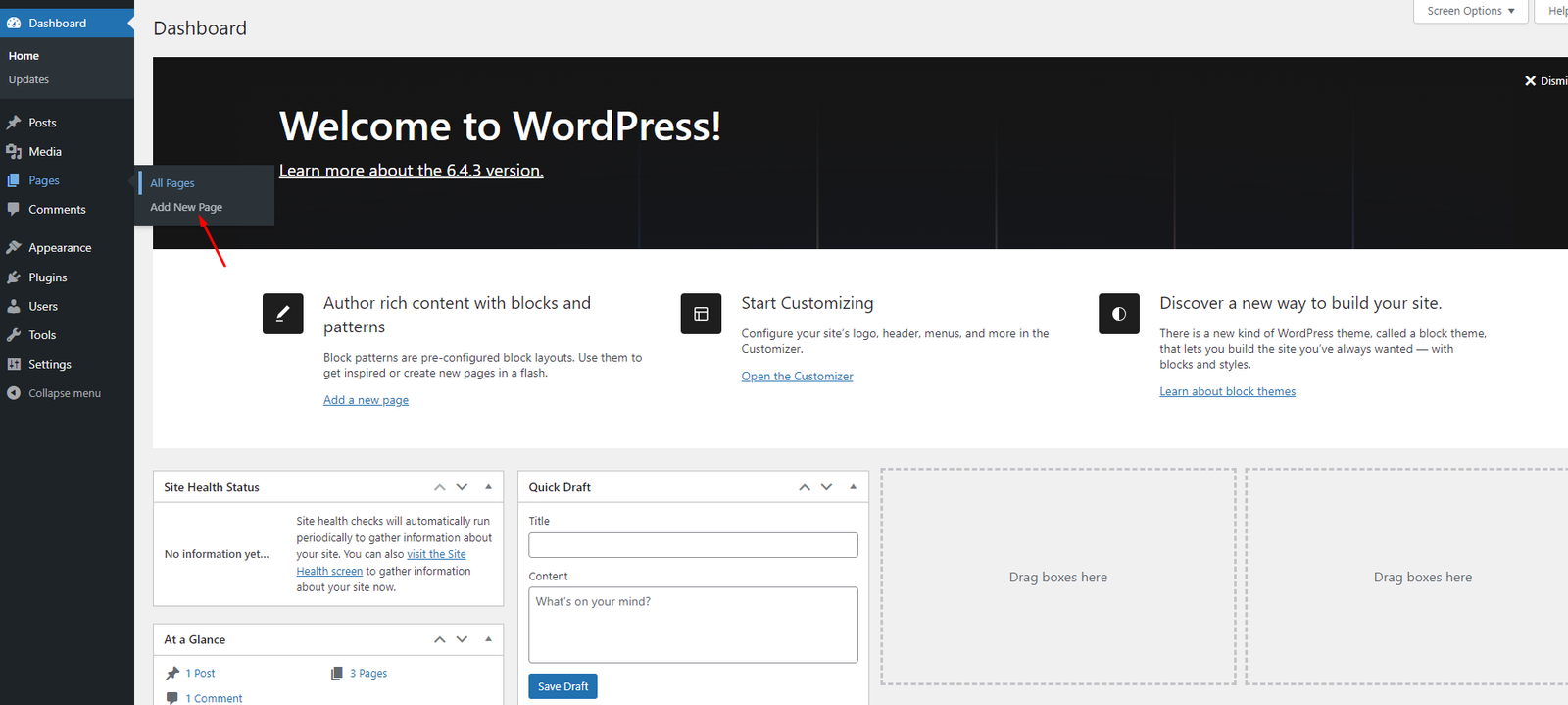
  1. Go to Pages > Add New.
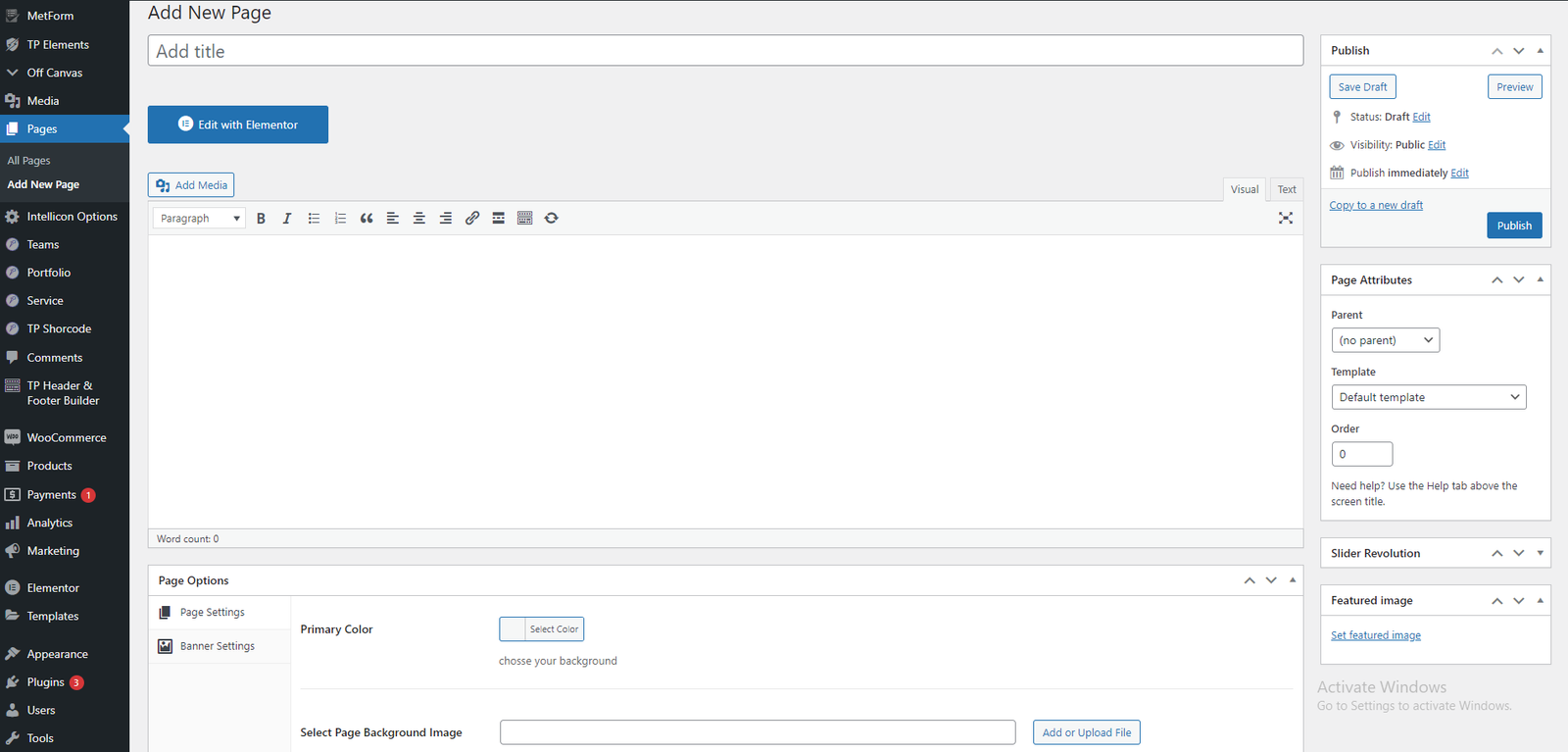
  2. Set title and choose template/attributes.
  3. Publish the page.
Add New Page Page Attributes

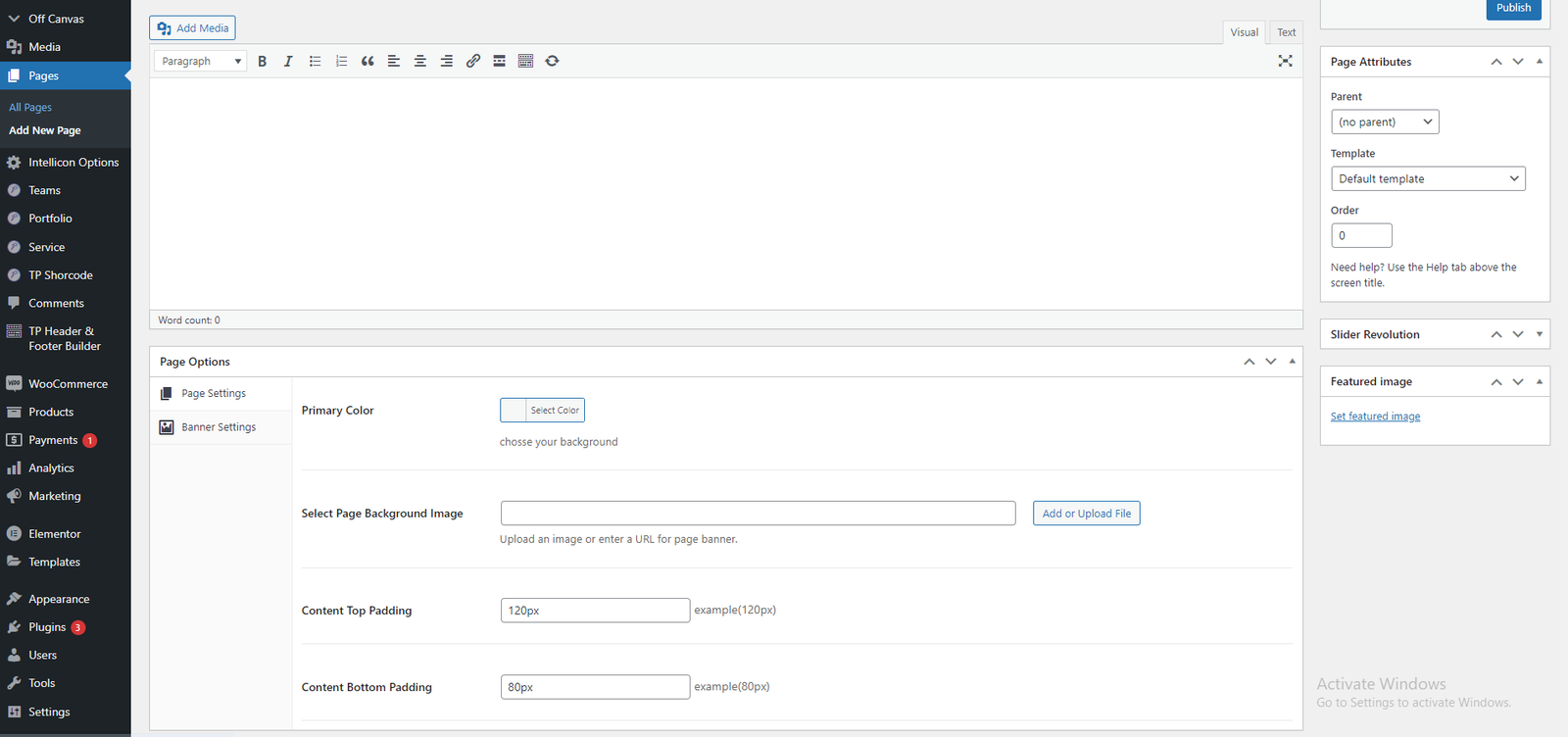
Page Options

Each page has options for header style, footer style, and logo behavior.

Page Options

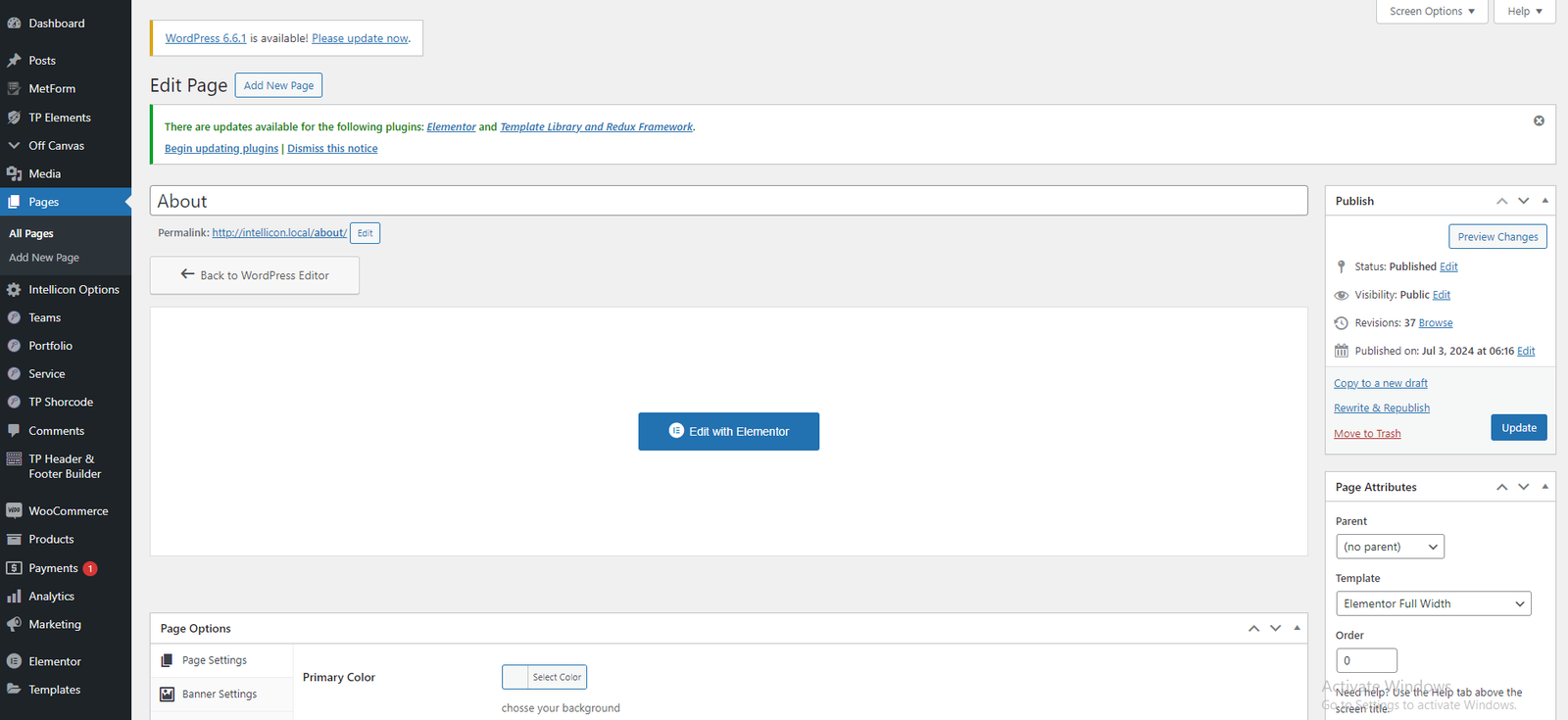
Use Elementor to Build Page

  1. Click Edit with Elementor.
  2. Add widgets/elements from panel.
Edit with Elementor Elementor Widgets

Change Page Title

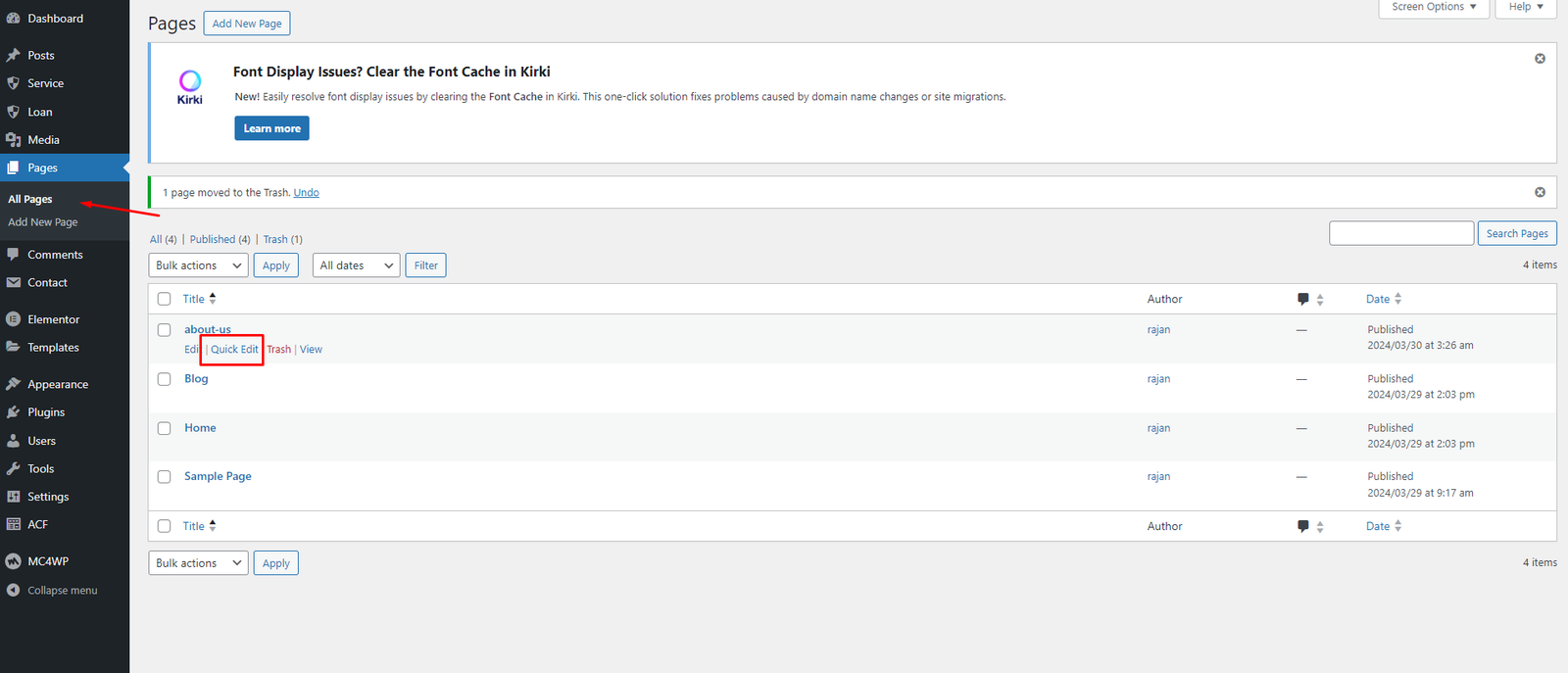
  1. Go to Pages > All Pages.
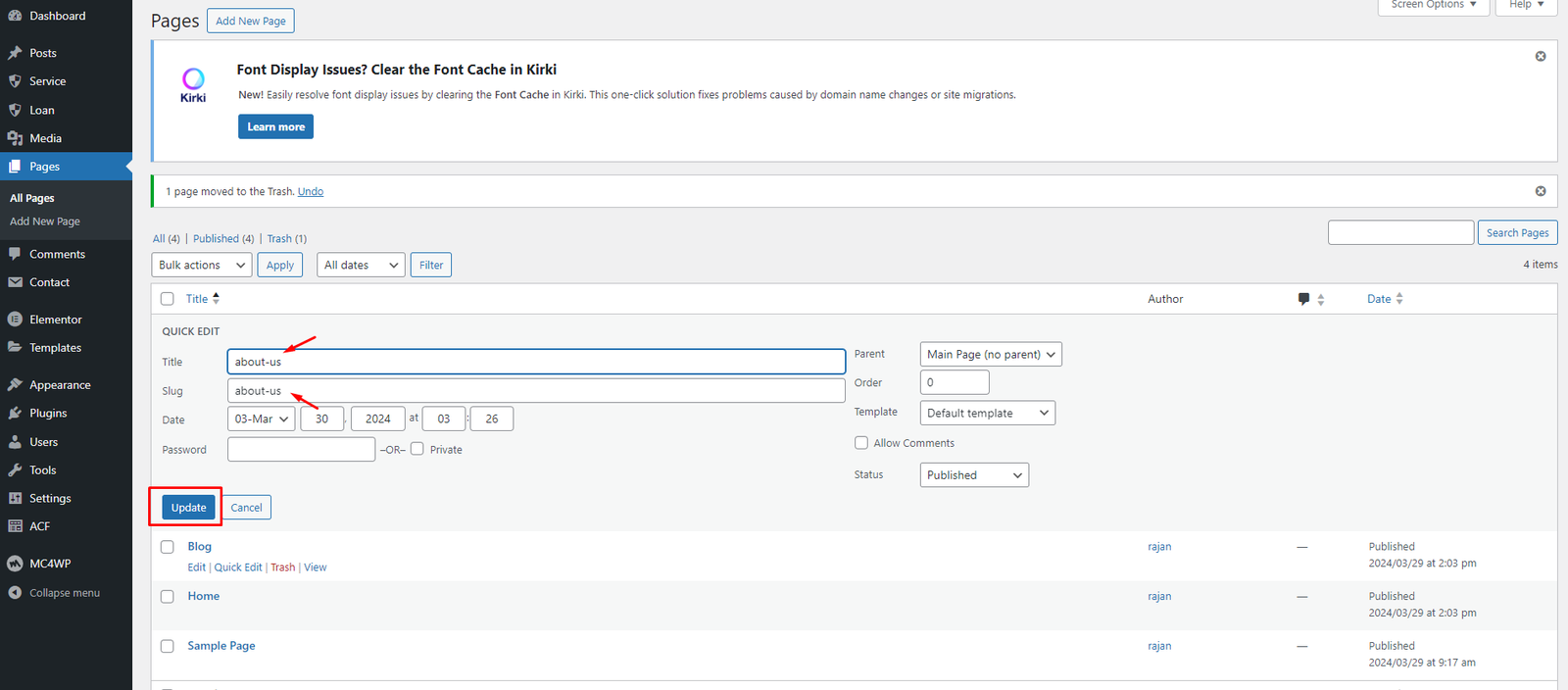
  2. Use Quick Edit.
  3. Update title and slug.
Page Title Edit Quick Edit