Carbid Header Footer
Back to Documentation Home

Header and Footer

Menu creation and editing header/footer templates with builder.
Navigation and Menus

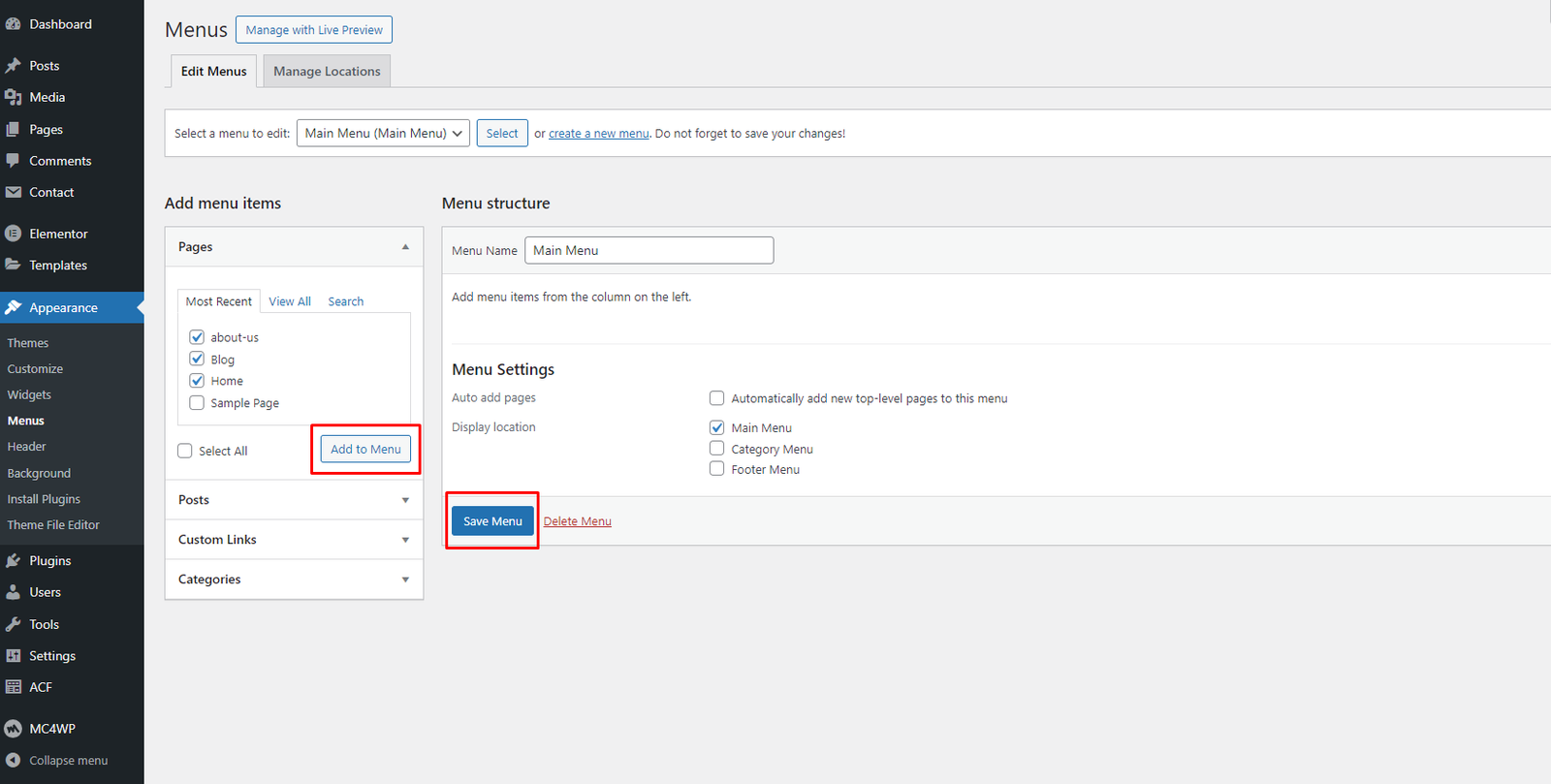
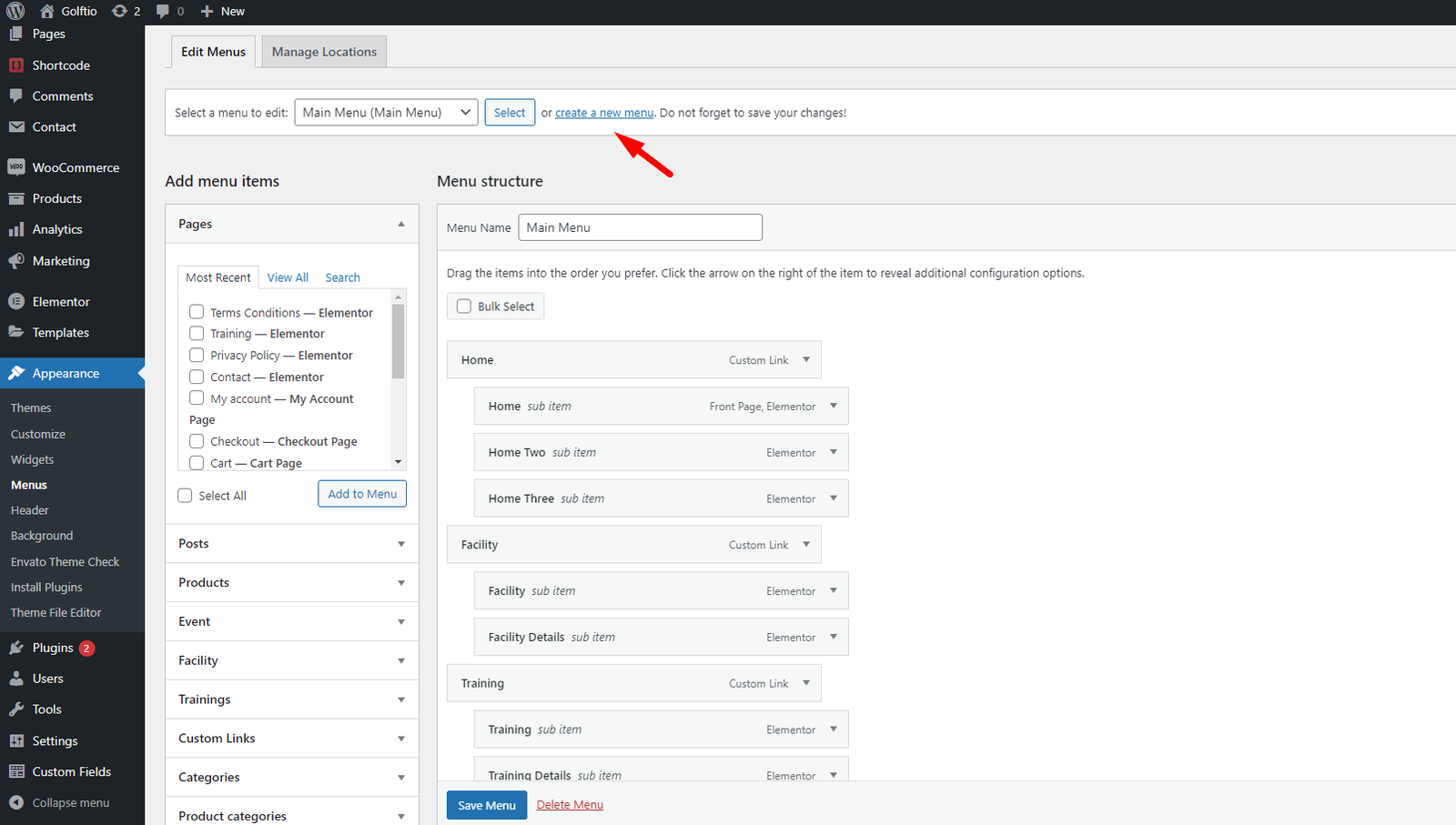
  1. Go to Appearance > Menus.
  2. Create a new menu and add pages/links.
  3. Assign the menu to Main Menu location and save.
Create Menu Save Menu

Edit Header

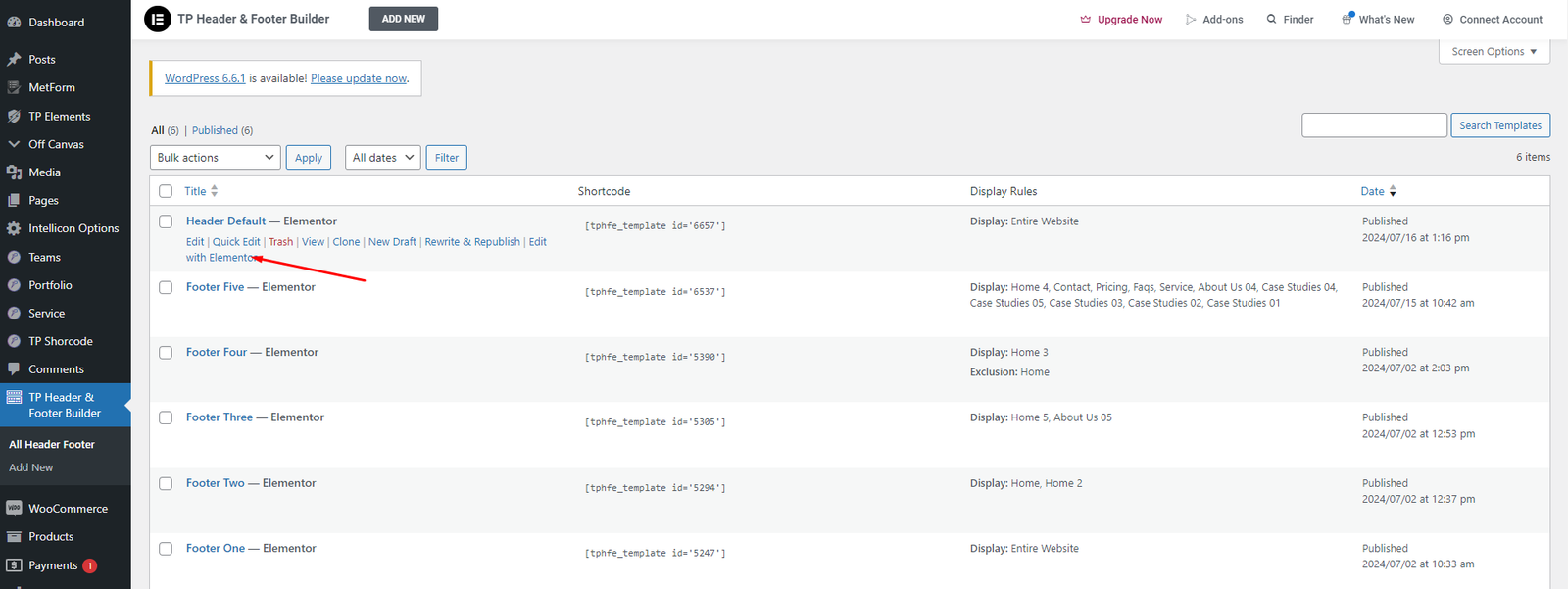
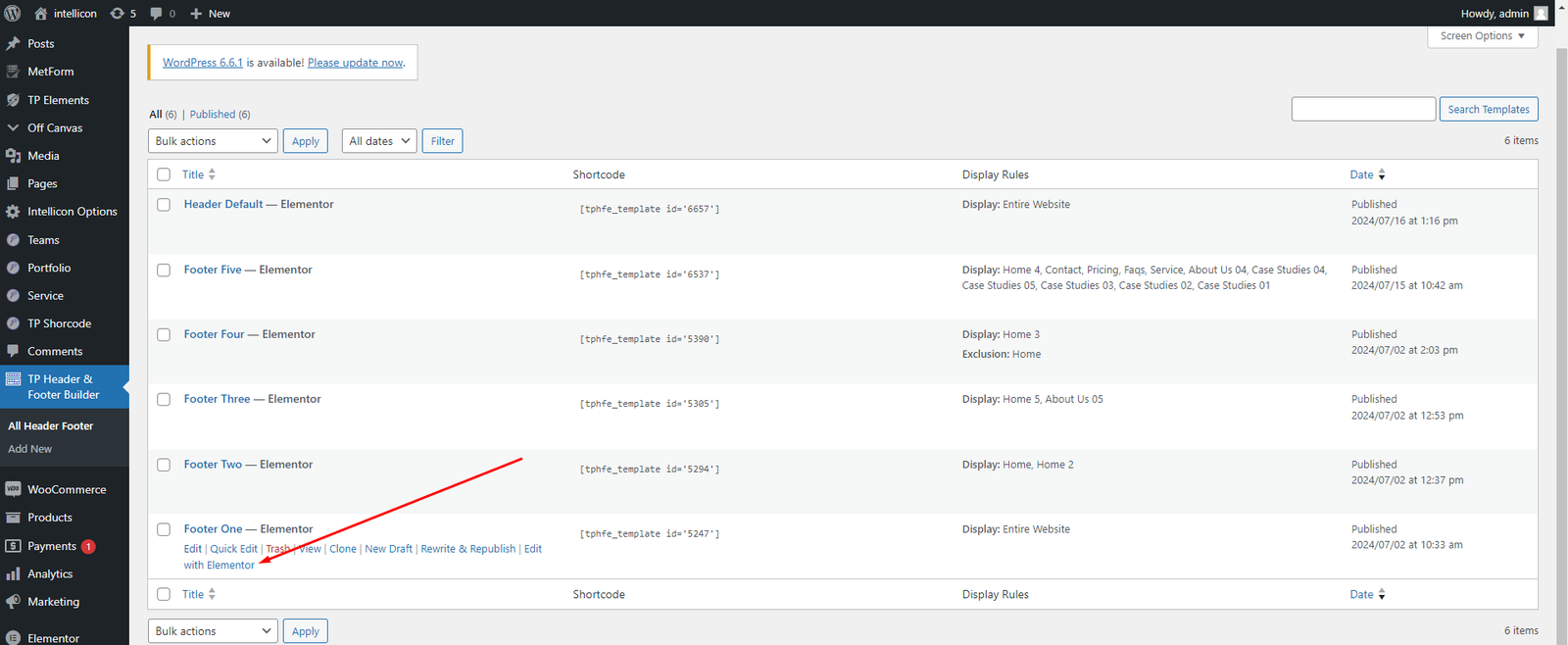
  1. Open TP Header & Footer Builder.
  2. Select a Header template.
  3. Edit with Elementor.
Edit Header Edit Header Elementor

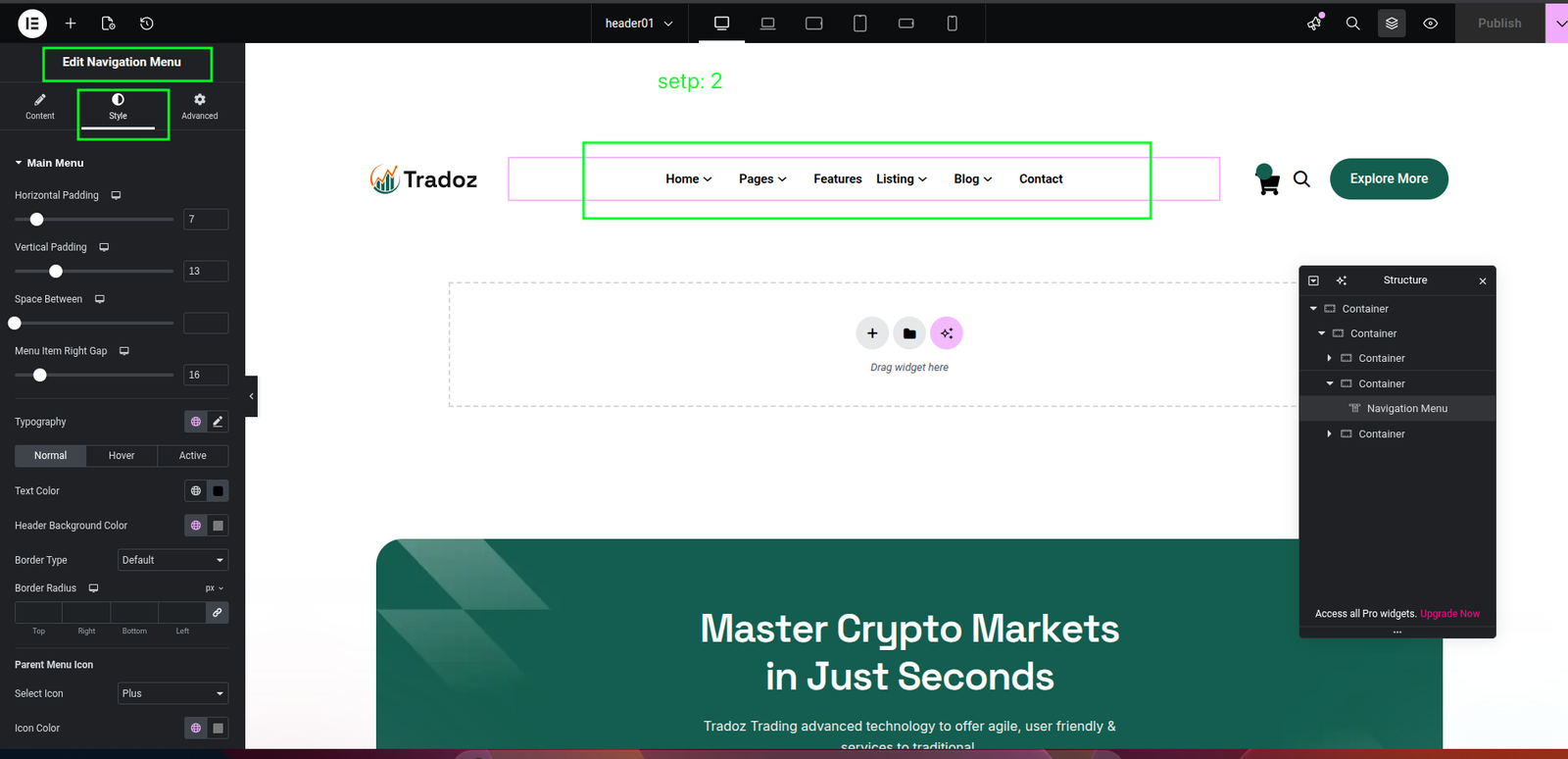
Changing Sticky Header Background Color

Sticky Header and Navigation Menu

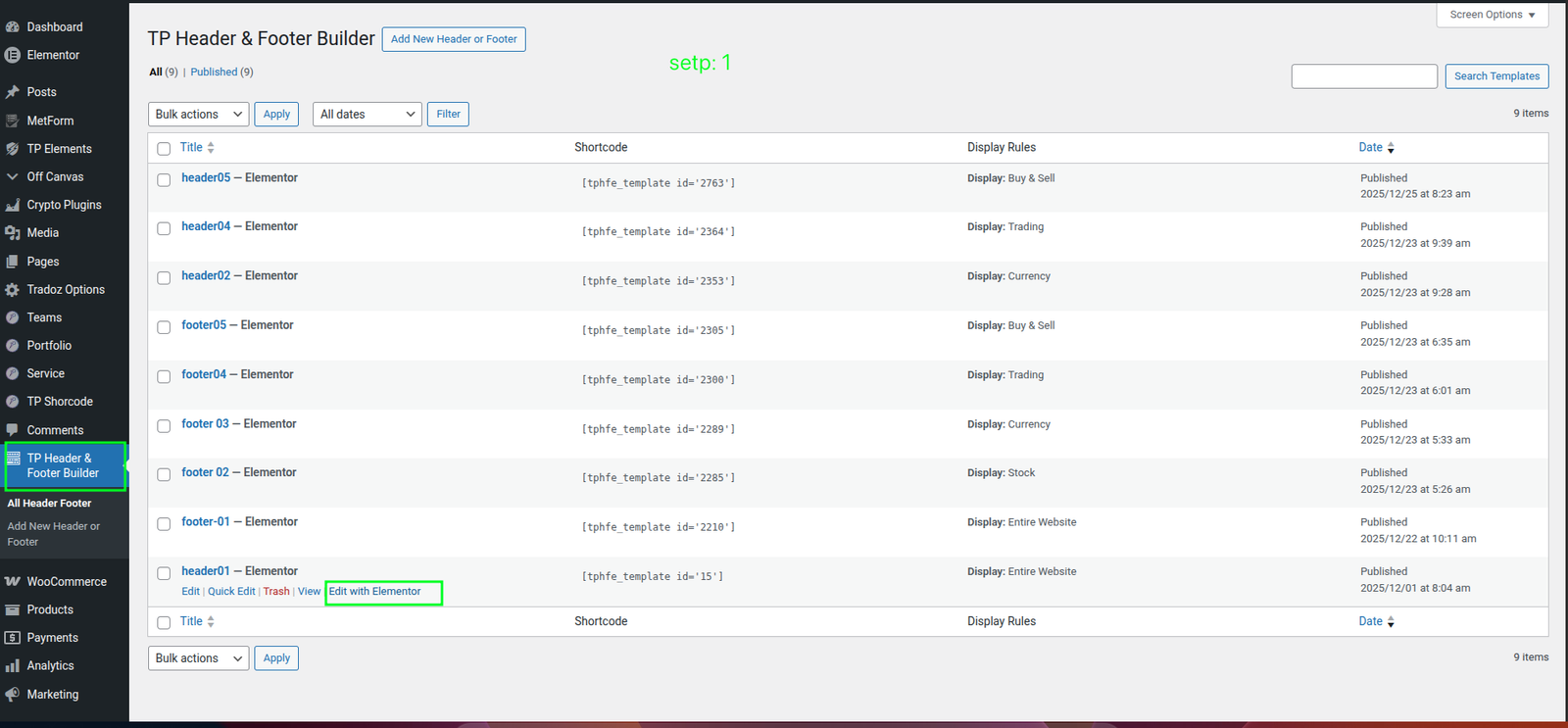
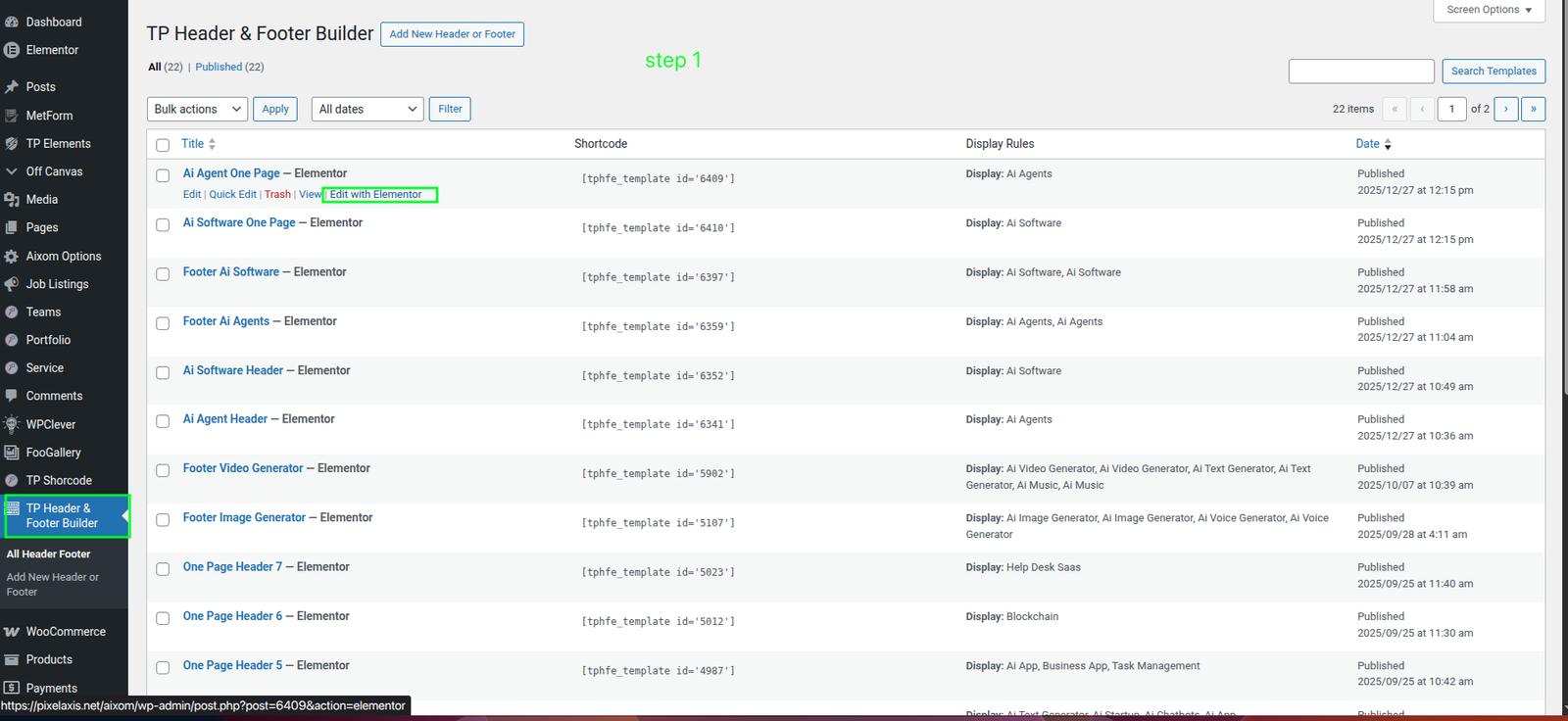
  1. Go to TP Header & Footer Builder from your WordPress dashboard. Locate the header you want to edit (for example: header01, header04, or header05) and click Edit with Elementor.
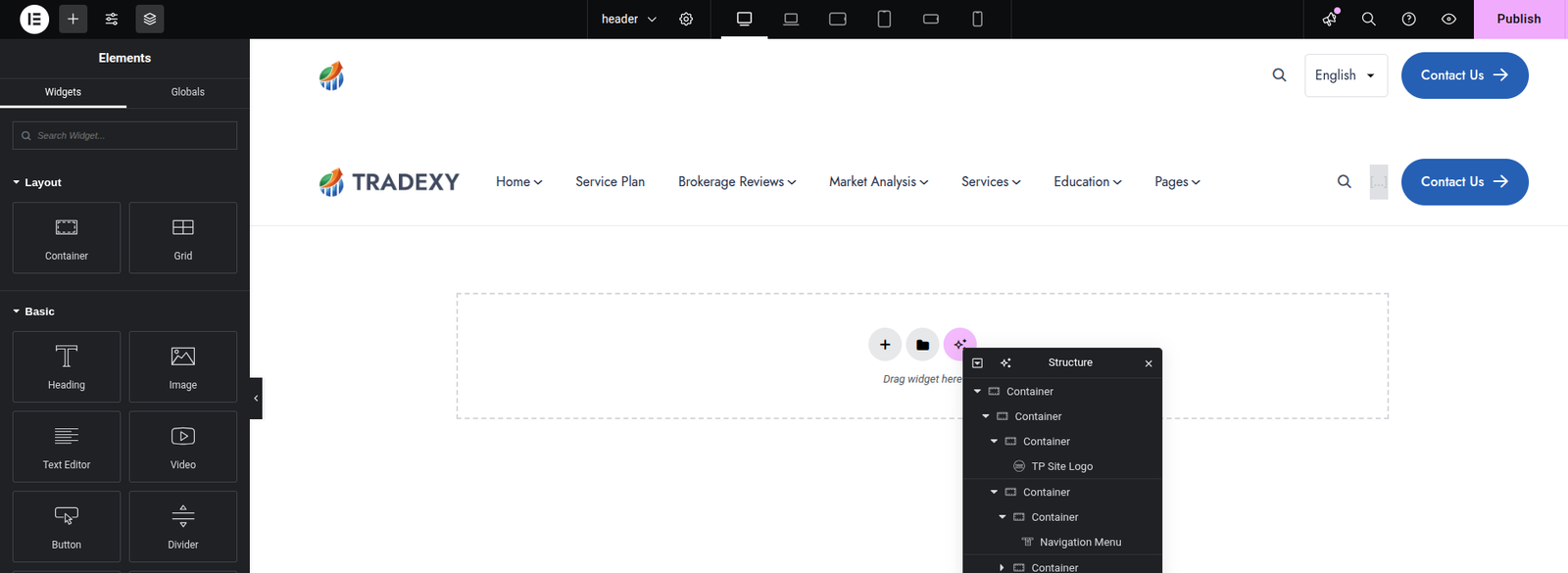
  2. Inside Elementor, select the Nav Menu widget that contains your navigation links.
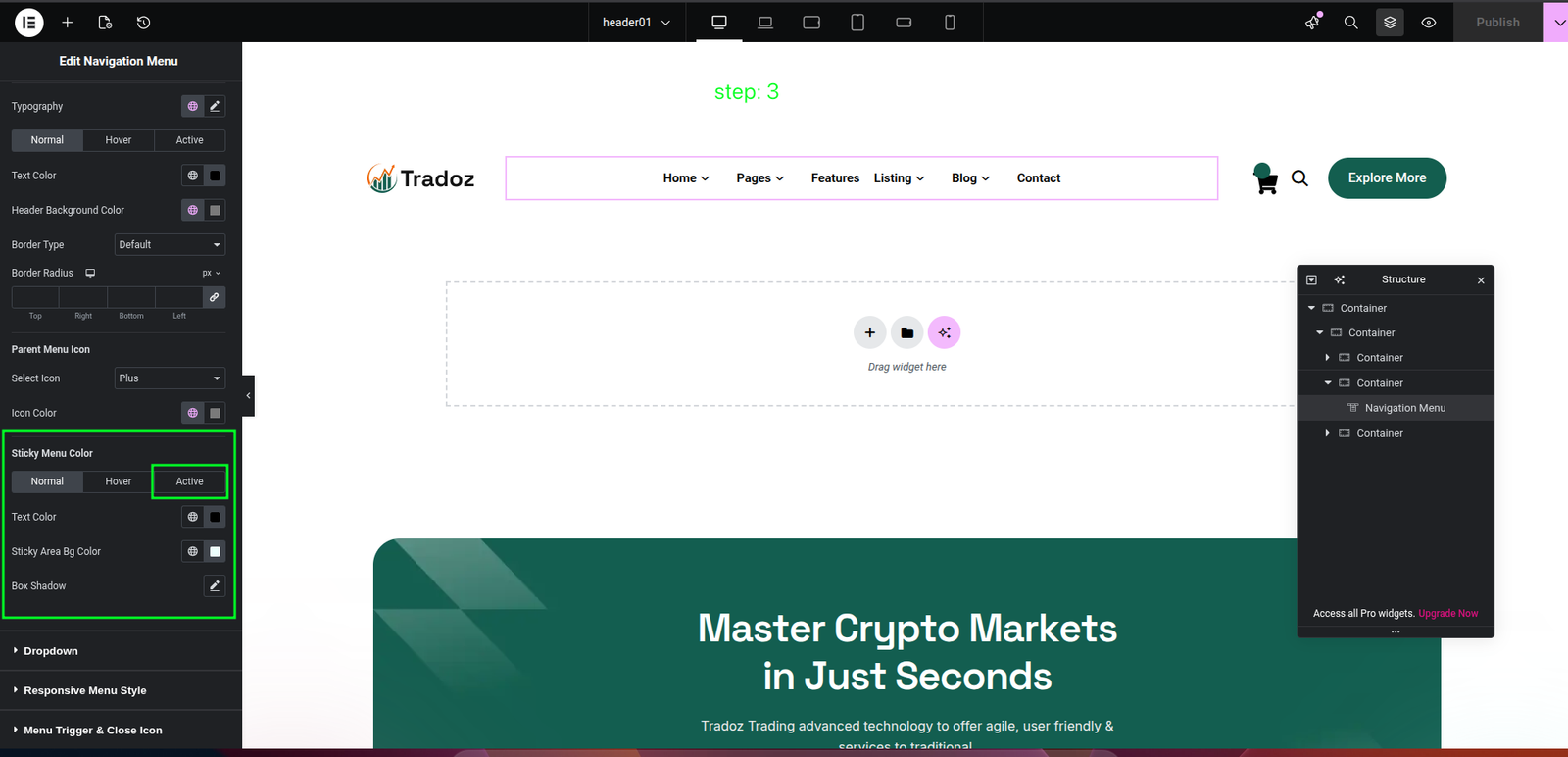
  3. Go to the Style tab. In the Main Menu section, find Sticky Menu Color and set colors for:
    • Normal (default sticky state)
    • Hover (menu item hover)
    • Active (current page link)
  4. Find Sticky Area BG Color (in Main Menu or Sticky Header section) and change the sticky background color.
Sticky Header Step 1 Sticky Header Step 2 Sticky Header Step 3

Change WordPress Theme Logo

Since the theme can use multiple header templates, update the logo in each header template where needed.

Step 1 - Open the Header Template in Elementor

Go to TP Header & Footer Builder from the dashboard, find the target header template, then click Edit with Elementor.

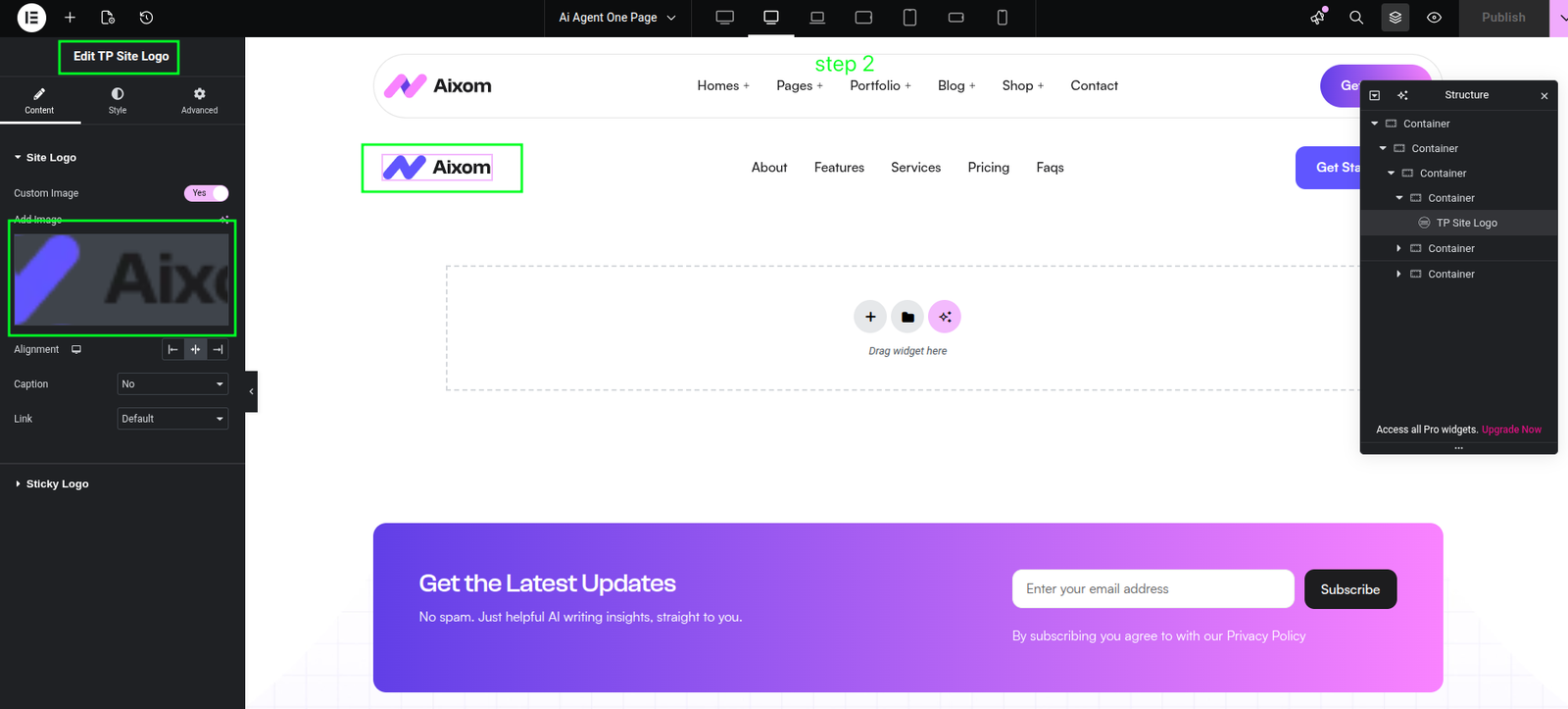
Step 2 - Replace the Logo Image

Click the logo element in Elementor. In Edit TP Site Logo under the Content tab, set Custom Image to Yes, upload/select the new logo, then click Publish.

Tip: Repeat for each header template (for example, header 1, header 2, header 3) if they use different logo instances.

Header Template Where It Is Used Action
Header One Default/Home variant Edit logo and publish
Header Two Alternative pages Edit logo and publish
Header Three+ Additional layouts Edit logo and publish
Change Logo Step 1 Change Logo Step 2

Edit Footer

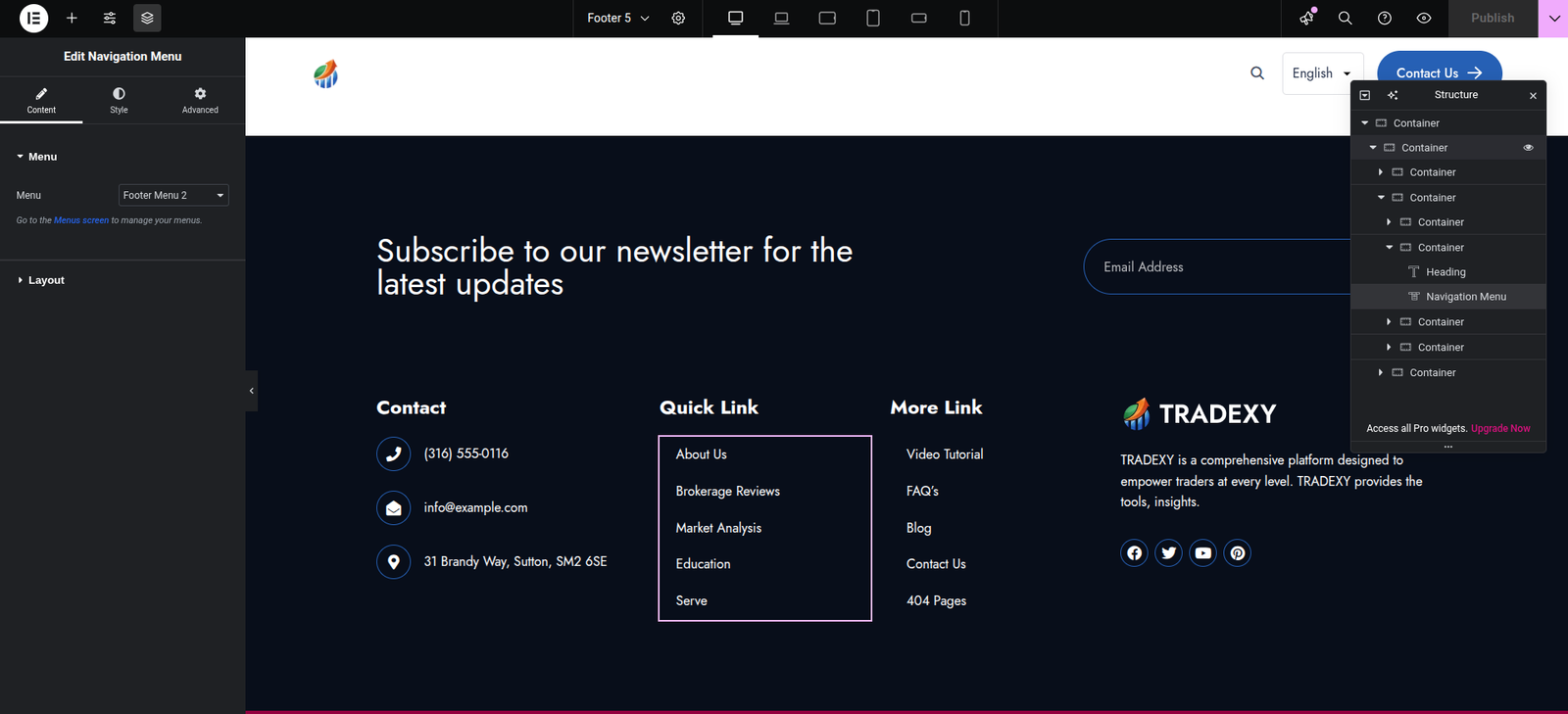
  1. Open TP Header & Footer Builder.
  2. Select a Footer template.
  3. Edit with Elementor.
Edit Footer Edit Footer Elementor